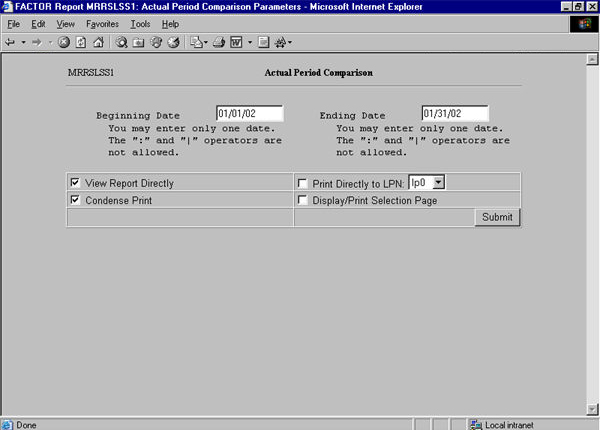
To view a report, click the report link in your desktop area. The system next prompts you to select the database for which you wish to view a report. After you select the database, the system displays a selection criteria screen and lets you specify selection criteria for the report.
See the following sample selection criteria screen:
After entering all selection criteria, click the  button to query the database and create your report. The
system will display your report in a new window. See the following sample
report:
button to query the database and create your report. The
system will display your report in a new window. See the following sample
report:
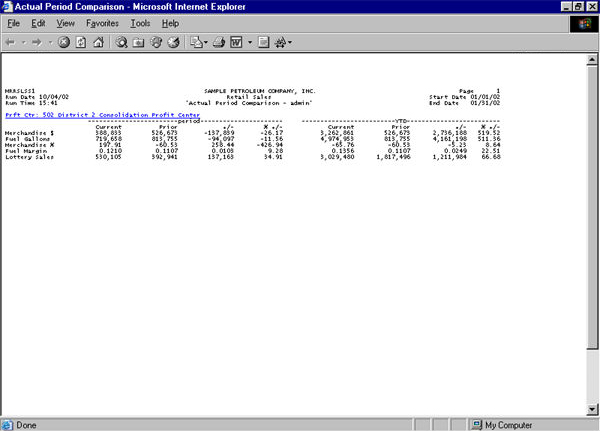
Notice that the sample report contains a hyperlink, denoted by the blue underlined text. This means that you can "drill down" into the report to see a closer view of the data. When you click on the link, the system displays a more detailed view. See the following example:
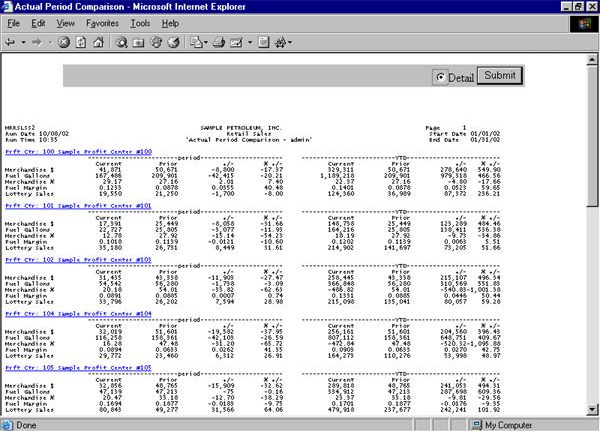
This view shows the individual entries that comprise the data in the first sample report. Notice that this report contains a hyperlink for each profit center. When you click on one of the links, the system shows the data for that profit center. See the following sample report:
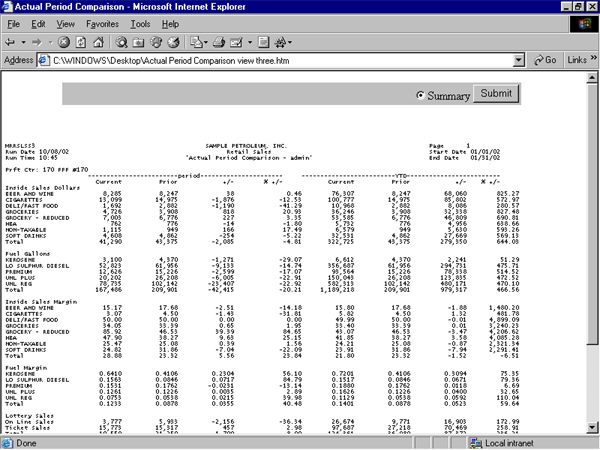
This report displays the detail information for the profit center link selected in the second report. This type of reporting is known as Drill Down reporting.