The Prepare Units Summary Table processing program accumulates the actual unit quantities for transactions at specific profit centers for a given period.
When you run this processing program, ExecuTrak identifies the unit quantities and records them in the General Ledger Gallon Table. The Build Consolidation Processing program will retrieve the quantities from this table.
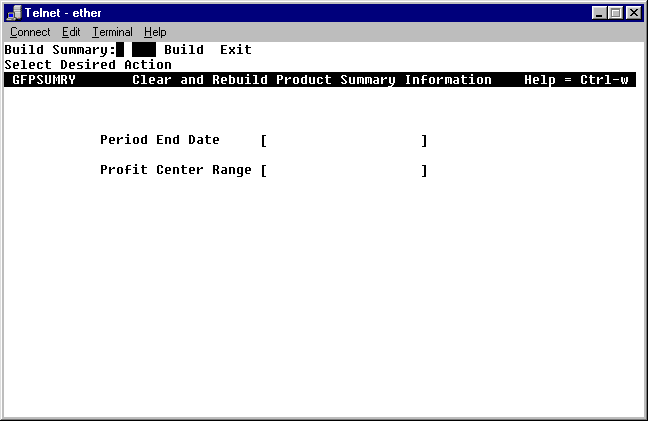
Run the Units Summary processing program immediately prior to executing the Build Consolidation Table Processing Program. To access the program, Telnet to ExecuTrak and select Advanced Financial >> End of Period Processing >> Prepare Units Summary Table. The system displays the following screen:
Ring Menu Options:
The ring menu lists the two following options:
Build-Enter processing criteria
Exit-Return to previous menu
Processing Criteria:
As you can see this program has only two processing criteria:
Period End Date: Enter the date for the last day of the period for which you wish to accumulate transaction quantities.
Profit Center: Enter the profit center or range of profit centers for which you wish to accumulate transaction quantities. Leave this field empty to include all profit centers in the selection process.
When you finish entering criteria, ExecuTrak prompts:
DATA OK? Yes No Print
Yes: Accept criteria and build Units Summary Table
No: Change criteria
Print: Print data displayed on the screen
ExecuTrak displays the processing status. When the system finishes processing, select Build to process for another period/profit center or select Exit to return to the previous menu.
After you finish preparing the units summary table, proceed to Build Consolidation Table.