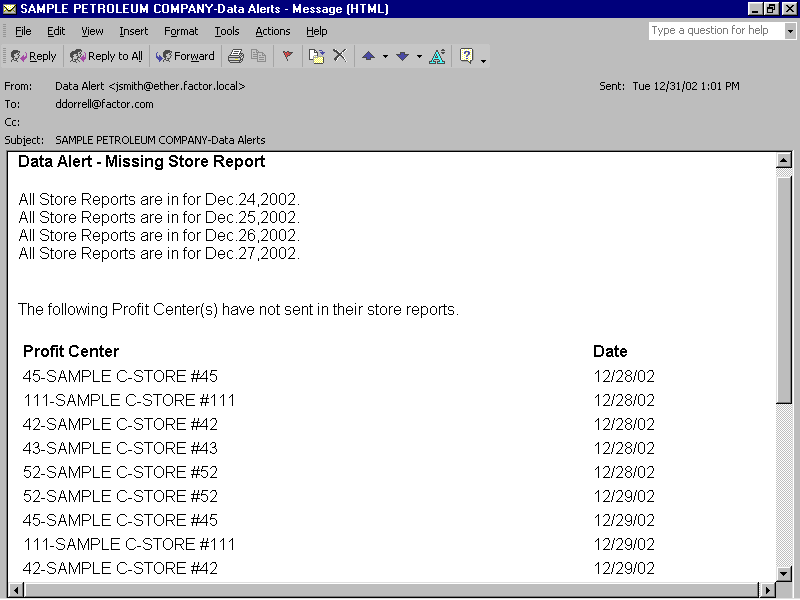
The Missing Store Report data alert notifies you of any retail profit centers that have failed to upload their store reports to the home office. This data alert does not require a tolerance. Missing store reports are detected by the Data Alert Stand-Alone Pre-Processor. The scheduling program runs this processor at predefined intervals throughout the day.
The Stand-Alone Pre-Processor creates the data alerts for missing store reports. When looking for missing store reports, the processor checks only those store reports that have been uploaded from StoreTrak. To determine missing store reports, the pre-processor first identifies if any users have requested a Missing Store Report data alert. If no users have requested the alert, then the pre-processor takes no action.
If one or more users have requested the alert, the pre-processor next identifies profit centers where the report frequency equals "D" (daily), the posted through date is not null, and the posted through date plus one day is less than the current date. (The posted through date is system maintained and stored in the profit center master record). A profit center must be part of a user's defined profit center path in order for the user to receive the alert for a profit center. The pre-processor then creates the alert and places it in the hold table where it will await final processing by the Data-Alert Processor.
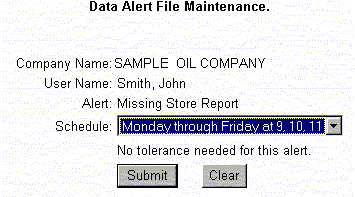
Factor recommends scheduling the Missing Store Report alert for Monday through Friday at 9:00, 10:00, and 11:00 a.m. Utilize this schedule because all stores will not report at the same time. Although a store might appear on the 9:00 a.m. alert, if the report is uploaded at 9:15, then it will not appear on the 10:00 or 11:00 a.m. alerts. Likewise, if a report does not arrive until 10:30, it will appear on the 9:00 and 10:00 a.m. alerts but not on the 11:00 a.m. alert.
The Stand-Alone Pre-Processor generates the Missing Store Reports alert. The pre-processor is run with the frequency that you have specified through Event File Maintenance. In the previous example, it is important to assign a Stand-Alone Pre-Processing schedule that will accommodate the alert schedule. For example, if the alert is scheduled for 9:00, 10:00, and 11:00, then the pre-processor will need to be run at least three times: once before 9:00, again before 10:00, and a third time before 11:00. The DataTrak administrator is responsible for assigning processor schedules.
Note: This alert is not available for stores with a report frequency of closed, weekly, biweekly, semimonthly, or monthly.
Review the following sample Data Alert File Maintenance form:
Factor recommends scheduling the missing store report data alert for Monday through Friday at 9:00, 10:00 and 11:00 a.m.
For step-by-step instructions on creating data alerts, see Data Alert File Maintenance.