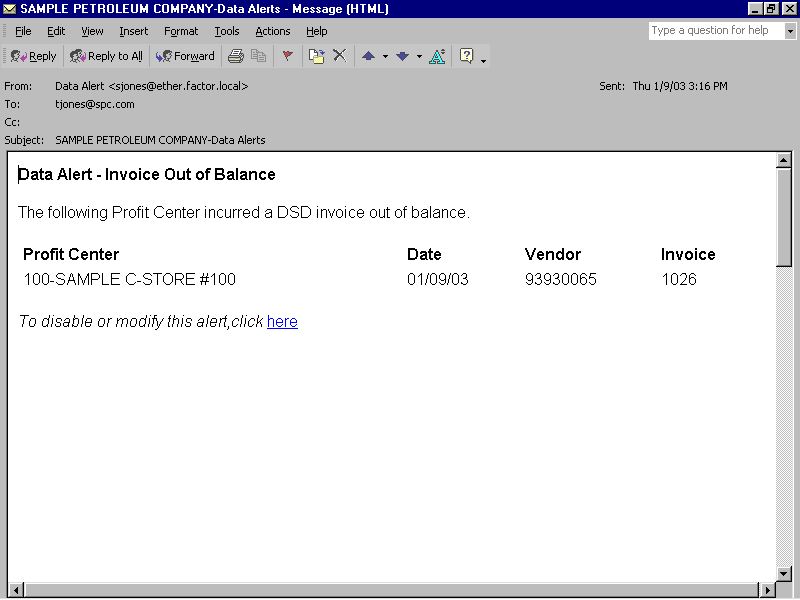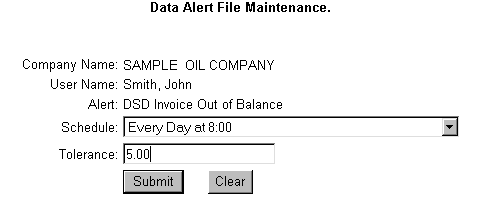
The DSD Invoice data alert lets you know when a DSD invoice entered at the store level is out of balance. This occurs when the sum of the detail items on the invoice do not equal the invoice total. In this situation, the system will alert the appropriate users that an invoice is out of balance. These alerts are created when the shift report is imported into the ExecuTrak system, prior to processing. This alert does not require you to enter a tolReview the following Data Alert File Maintenance form:
When scheduling the DSD Invoice Out of Balance alert, it's important to remember that the StoreTrak Import program initiates the Data Alert Processor, which, in turn, creates this alert. This is important to remember because if you schedule the alert for once a day at a time prior to the import, you will not receive the alert until the following day. For example, you schedule the alert for 8:00 a.m. every day, but you do not run the StoreTrak Import program until 10:00 am. In this situation, you would not receive the alert until 8:00 a.m. the following morning. Consider using the following scheduling options to avoid this delay:
Schedule the alerts to occur for sometime after you run the StoreTrak import.
Schedule the alert to occur twice daily, once in the morning and again in the afternoon.
If you use ExecuTrak's Automatic StoreTrak import functionality, then you can use a schedule that occurs multiple times throughout the day.