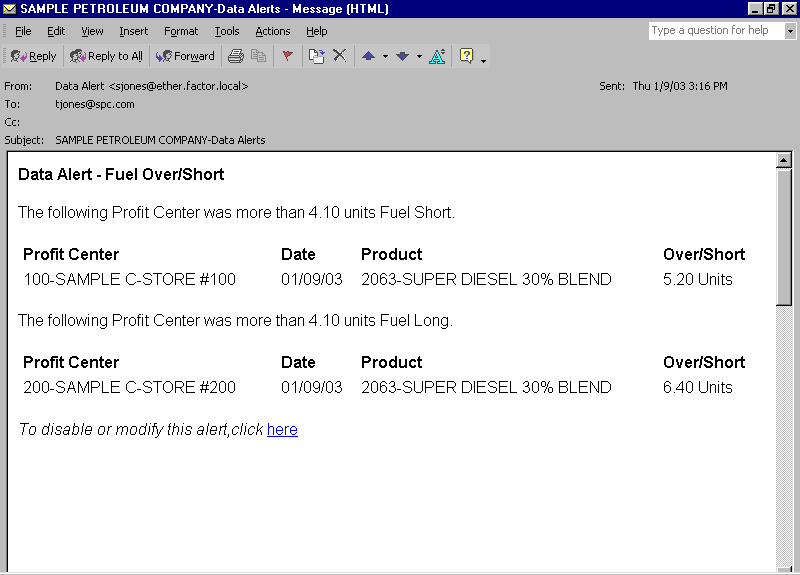
The Fuel Over/Short data alert notifies you whenever the over or short amounts for fuel exceed the tolerance that is defined in the data alert.
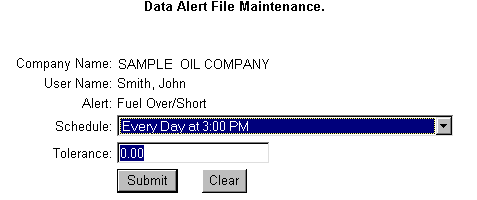
Review the following Data Alert File Maintenance screen:
When scheduling the Fuel Over/Short data alert, be sure to schedule the alert to occur after the Fuel Inventory Report is generated. For example, you schedule the Fuel Inventory Report to generate at 8:00 a.m. every morning. You should schedule your Fuel Over/Short alert to occur after 8:00. If you schedule the alert prior to report generation, then you will experience a delay in receiving the alert. For example, if you schedule the alert to occur at 8:00 a.m. but the report is not generated until 10:00 a.m., then you will not receive the alert until 8:00 on the following morning.