After all data has been posted and processed, you will need to run the Consolidate Sales Data program so that sales data is available for management reports. In simple terms, the Consolidate Sales Data program builds a data warehouse of consolidated retail sales data. This data warehouse greatly reduces report processing time. Consolidating sales data is a crucial step in your daily procedures for DataTrak. This step is the backbone for drill-down reporting functionality for dollar and quantity values of retail fuel and category sales.
The program consolidates data for a specified amount of time. The consolidation period is determined by the number of periods stored in the value of System Parameter 16001 through the date entered in the selection criteria screen. For example, the default value for 16001 is "2" if you enter 08/15/02 in the Report Date selection criteria, the program consolidates data from 06/01/02 through 08/15/02. The parameter value of "2" specifies that the program should include data for the two periods immediately prior to the month identified in the report date, "08" in this example. Likewise, if the parameter were set to "3" the consolidation period would be from 05/01/02 through 08/15/02.
You should run the Consolidate Sales data program each day. You can run the program manually or the DataTrak administrator can set up the consolidation as an "event" for the scheduler to run.
Each time you run the program, it clears the sales consolidation table and reconsolidates the data. Processing time depends on several factors and can take anywhere from a few minutes to an hour or more. These factors include the following:
Number of profit centers in the consolidation
Amount of data to consolidate
Number of periods to consolidate.
To run the sales data consolidation program, login to DataTrak and click the Generate MR_SALES link. This link will be located in the Sales Reports report group. When you click the link, the system displays the following selection criteria screen:
It's important to note that this processing function is available only to users who have been assigned to a user group with permission to access the Accounting Processing report group. The DataTrak Administrator creates user accounts and sets report group permissions.
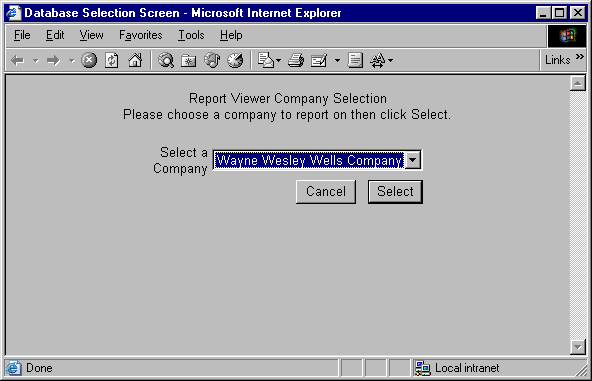
Select the database for which you need to consolidate sales data and then click the select button. After you select the database, the system next displays the following selection criteria screen:
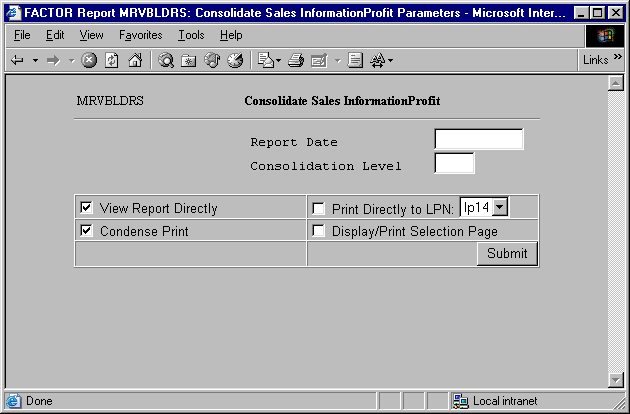
Selection criteria for sales data consolidation include the following:
Report Date: Enter the date through which you want to consolidate sales data. Normally this will be the current date. If the DataTrak administrator has set the scheduler to run the consolidation, then the report date will be the current date.
Consolidation Level: The consolidation level identifies the "level" in the path for which you want to consolidate sales data. For example, the profit center path you use for DataTrak consists of 4 different levels: Executive, Regional, District, and Store. Levels are numbered consecutively from the top to the bottom. In this example, Executive corresponds with level "1" and Store corresponds with level "4". Enter the "level" in the profit center path through which you want to consolidate sales data. Normally this will be "1". If the DataTrak administrator has set the scheduler to run the consolidation, then the consolidation level will be "1"; all profit centers will be consolidated.