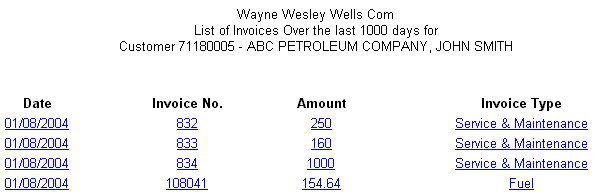
When you click the "View Wholesale Invoices" link, DataTrak displays a list of your company's invoices. This list is a summary of invoices for the time period. The list includes the date, invoice number, amount, and invoice type.
The list sorts invoices by invoice date and number. To view detail for an invoice, simply click the invoice line and the system will display the invoice detail for the selected invoice.
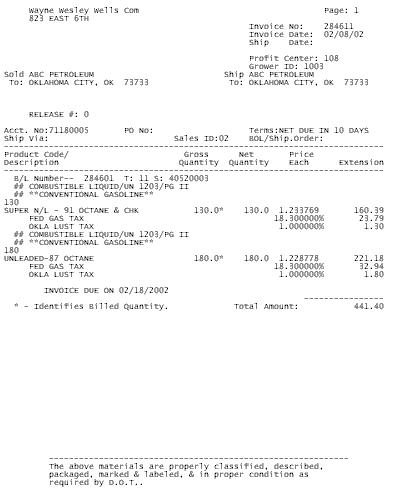
You can print the invoice by selecting the print option from the Internet Explorer File menu.