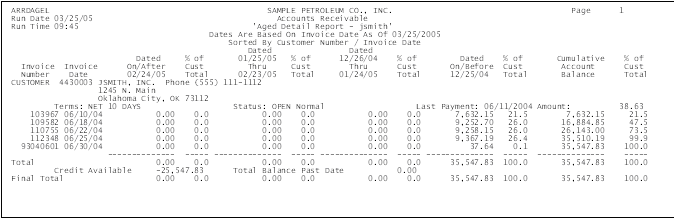
This report provides you with a listing of open invoices and their associated aging dates. Additionally, the report lists the invoices, percent of the total account balance and the total balance of the account.
For each listed transaction, the report includes the invoice number and date.
The amount in this column reflects the balances of invoices less than 30 days old, based on the invoice date.
Each aging column also corresponds to a percentage of customer total column. The percentage listed in this column indicates the amount of the corresponding invoice compared to the total amount of all outstanding invoices.
This column represents the first aging level and reflects balances 30 days past due.
This column represents the second aging level and reflects balances 60 days past due.
This column represents the third aging level and reflects balances 90 days past due.
This column provides you with a running total of outstanding account balances. The report subtotals invoice amounts for each of the aging levels and totals all past due invoice amounts.
Additionally, the report lists the available account credit and the total balance past due.