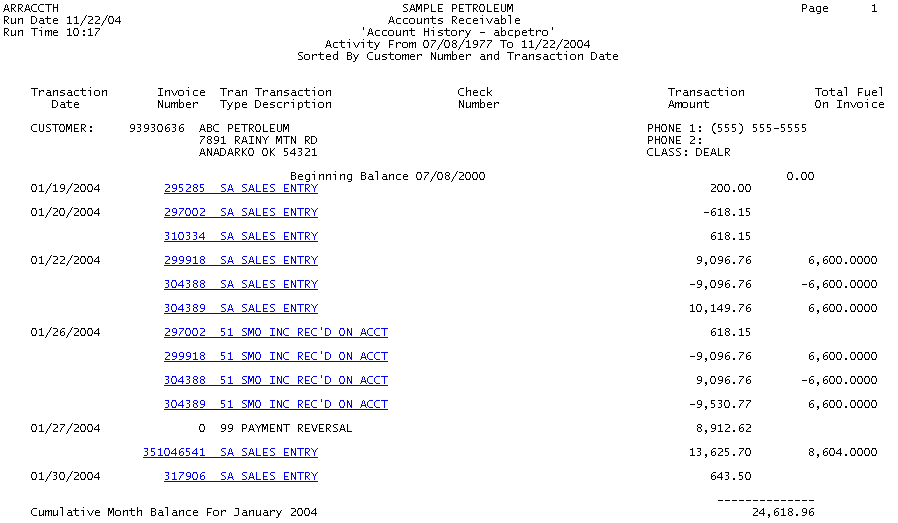
When you click the "Account History" link, DataTrak displays a list of account activity for your company. This list is a summary of activity for the time period.
As you can see by the sample report, each account activity item is displayed as a hypertext link. Click the link to view the detail for the item. The information presented on this report includes:
Customer Number and Name
Transaction Date
Transaction Type
Check Number (if applicable)
Transaction Amount
Total Fuel on Invoice (for fuel invoices only)
Additionally, the report subtotals transactions by period and provides an ending account balance for all listed transactions.