Bank Deposits reports allow users to view deposit data for profit centers during a particular date range.
Reports are available in summary and detailed format for both parent and child profit centers.
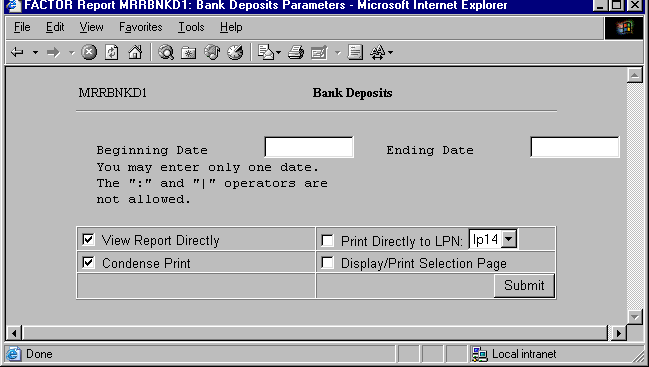
When you select Bank Deposits reports, the system displays the following report criteria screen:
The following selection criteria allow you to specify the date range to report and the way the report is viewed.
Enter the starting date for which you want to view deposit information. You must make an entry in this field and it must be in mm/dd/yy format. For example:
01/10/99
Enter the ending date for which you want to view deposit information. You must make an entry in this field and the date must be greater than the Beginning Date. Use the mm/dd/yy format. For example:
01/10/99
Note: If the Ending Date is not greater than the Beginning Date, or if the Beginning and Ending dates are not within the same GL period, the system will display an error message.
You may specify how you want to view and/or print the report by choosing from the following selections:
· View Report Directly
· Condense Print
· Print Directly to LPN
· Display/Print Selection Page
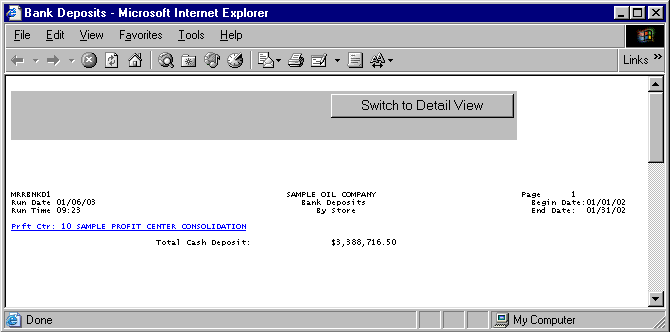
The following information is listed on Bank Deposits Summary reports:
Profit Center
Total Cash Deposit
Note: Table BANKDEPS is used to retrieve bank deposit data. CRCARDS is used to retrieve credit card deposit data.
The report displays the name and number of the profit center represented by the corresponding report data.
If a profit center has a child profit center, it appears as a hyperlink. Clicking on the hyperlink allows you to view summary information for child profit centers.
The Total Cash Deposit section displays the total deposit amount for the specified period at the profit center.
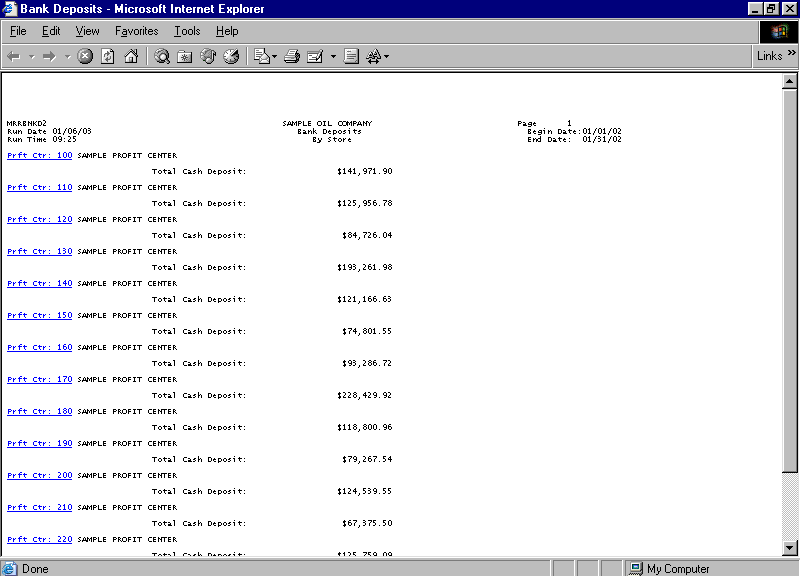
The Bank Deposits Detail report displays deposit information for each day of the selected date range. The report lists the following information:
Profit Center
Date
Total Cash Deposit
The report displays the name and number of the profit center represented by the corresponding report data.
If a profit center has a child profit center, it appears as a hyperlink. Clicking on the hyperlink allows you to view summary information for child profit centers.
Date
The report displays a deposit amount for each valid deposit date in the specified date range.
Total Cash Deposit
The Total Cash Deposit section displays the total deposit amount for the specified period at the profit center.
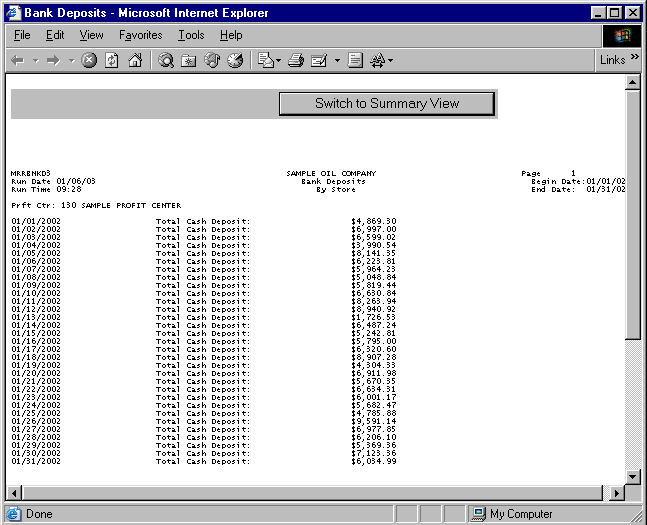
If a profit center has child profit centers, you may click on the parent profit center’s hyperlink to view summary report information for its child profit centers.
The Bank Deposits Child Summary report is based on the same selection criteria you entered for the parent profit center.
Profit centers on the Bank Deposits child Summary reports are in numeric order. Deposits for the specified date range are depicted in the same manner as they are for parent profit centers. See the Bank Deposits Summary report section for more information.
Click on the child profit center’s hyperlink to view a Bank Deposits Child Detail report. Detail information for child profit centers is calculated in the same manner as it is for parent profit centers. See the Bank Deposits Detail report section for more information.
You may notice a slight rounding difference between totals on detail and summary reports. Click here to see why.