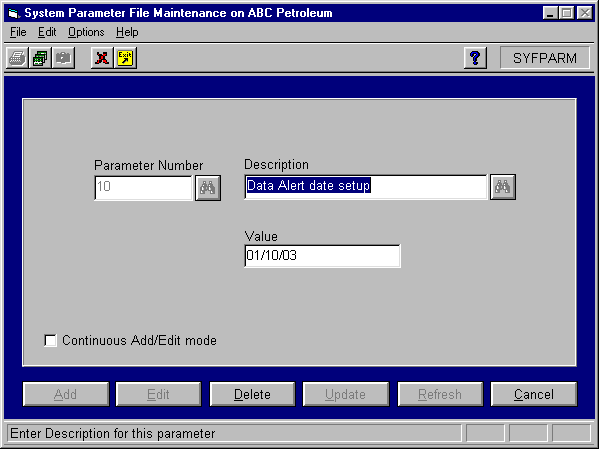
System Parameter 10 identifies the date that you implement Data Alerts. This date is used as a starting point for alerts. When the system creates alerts it will ignore any data prior to the date established by this parameter. To set System Parameter 10, login into ExecuTrak and select System Management >> File Maintenance >> System Parameters, and the system displays the following screen:
Click the Add button to add a new parameter. Set the value for the parameter as follows:
Parameter Number: "10"
Description: "Data Alert Date Setup"
Value: Enter the date in "mm/dd/yy" format to specify the date that you want to implement alerts. No alerts will be created for data that occurred prior to this date.
When you enter all of the data for the parameter, click the Insert button.