Create Custom Document Group
In addition to the DataTrak's pre-defined document groups, you
can create custom document groups to help organize documents to a user's
specific needs. Only the DataTrak Administrator can add a custom document
group to a primary desktop.
Individual users can add custom document groups to only their user-defined
desktops. Each
desktop can contain multiple custom document groups and each custom document
group can contain multiple documents. The process for creating custom
document groups is a simple drag-and-drop procedure that is performed
when creating or editing a desktop. Consult the DataTrak User's Help system
for information on how user's can define additional desktops for themselves.
Use the following steps to create a custom document group:
Display
the user's desktop.
In the document library
(left pane), expand the document group folder that contains the first
document you want to add to the custom document group.
Click the document
and drag and drop it on the desktop area.
Important: be sure that you release the document on an unused portion
of the desktop.
When you drop the
document over an unused portion of the desktop, DataTrak displays the
following pop-up form and lets enter the name for the document group.
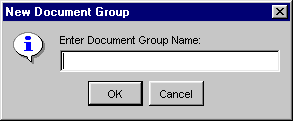
Enter the name for
the document group and click the OK button. The new group will be displayed
in the desktop area.
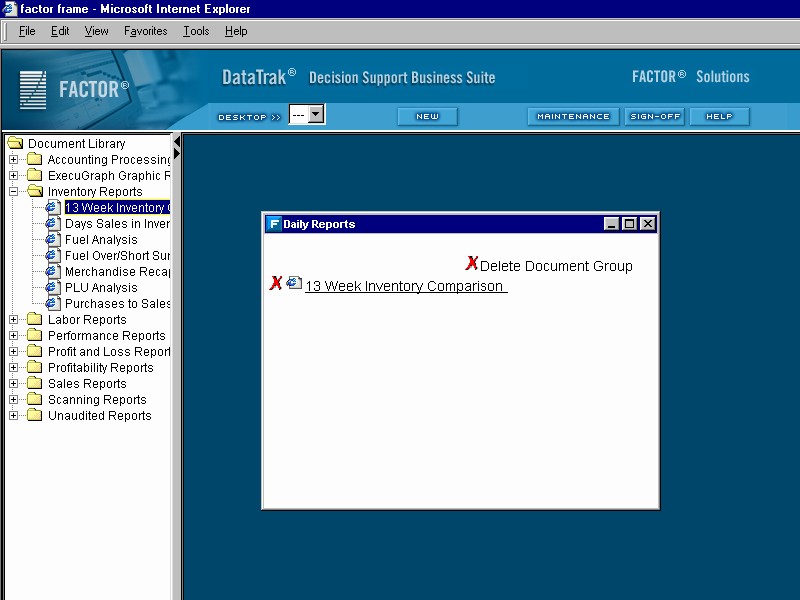
To add another document
to the group, simply drag it from the document tree and drop it into the
newly created group.
To create another
custom document group, repeat step 5.
When you finish creating
custom document groups, click the  button to save the new
desktop configuration.
button to save the new
desktop configuration.
Deleting a Custom Document Group or Document from a Custom Document
Group
To remove a document from a custom group, click the  (delete) icon next to the document name. To delete a document
group, click
(delete) icon next to the document name. To delete a document
group, click  in the upper right corner of the document
group frame. Click the save desktop button when you are finished to save
the new desktop configuration.
in the upper right corner of the document
group frame. Click the save desktop button when you are finished to save
the new desktop configuration.