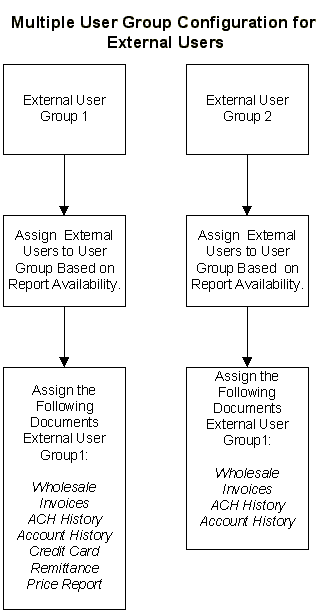
In some situations, you may find it necessary to have reports available for one group of users that you do not want available for other groups of users. For example, you may not want all users to have access to the Fuel Price Report and to the Credit Card Advice. In this situation, you will need to create two separate user groups for external users. Then assign the documents to the groups accordingly. Since documents are assigned to user groups, you can assign all of the external user documents to the first user group and then assign all documents, with the exception of the Fuel Price Report and the Credit Card Advice, to the second user group.
Next, assign user accounts to the appropriate user group based on the documents that you want to be available to them. The following flow chart illustrates how you can create two external users groups to offer different documents to different users: